
Switching from Brewfather
Most people who arrive here have a Brewfather account with years in it. This page is the move, start to finish: what each thing you have becomes here, the order that makes the move painless, what does not come across and why, and what we do about the subscription you have already paid.
There is no account link between the two apps and no API. Brewfather exports files and we read them, which means nothing happens to your Brewfather account when you try us, and you keep it as long as you like.
Export before you cancel
Section titled “Export before you cancel”Do this first, before anything else on this page. Some of Brewfather’s exports are features of their paid plan, so if your subscription is about to lapse, get the files out while it still runs:
- Every recipe, as BeerJSON where the choice is offered, BeerXML otherwise. Brewfather can export the whole library at once.
- Your inventory, as Brewfather’s own JSON.
Keep the files. They are yours, they are small, and a second import is one step if you ever want it.
What becomes what
Section titled “What becomes what”| In Brewfather | Here | How it moves |
|---|---|---|
| Recipes | Recipes | Import the BeerXML or BeerJSON files |
| Equipment profiles | Profiles | Rebuilt by hand, a few numbers |
| Water profiles | Water chemistry | Rebuilt by hand, from your report |
| Inventory | Inventory | Import the Brewfather JSON |
| Batches | Batches | Started fresh, from the imported recipes |
| Tilt, RAPT Pill, iSpindel | Fermentation devices | Pointed at us instead |
| Batch notes | Journal | Written here as you go |
| Styles | Styles | Built in |
The order that works
Section titled “The order that works”- Set up your equipment profile under Profiles before you import anything. Imported recipes land on your default profile, because neither export format carries one that maps onto ours, and a recipe that arrives onto the right rig calculates right from the first look. Your source water goes in at the same time, under Water.
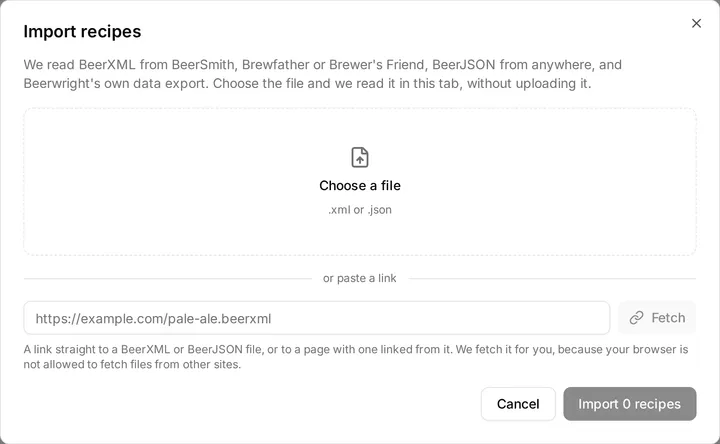
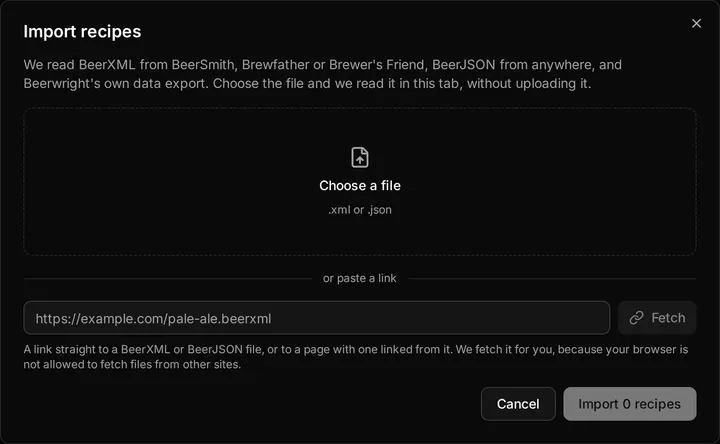
- Import the recipes. Import on the recipes page takes one file at a time, and a file can hold your whole library. You see a preview of each recipe before anything is saved. The Brewfather import page says exactly what survives the trip, and the two Brewfather habits we read around so a hop stand stays a hop stand.
- Import your stock. Import beside Add item on the Inventory page reads the Brewfather inventory JSON, matches each lot to our catalog, and marks anything you already have so a second import does not double it. One step, one undo.
- Point your devices at us. A Tilt, a RAPT Pill or an iSpindel that reports to Brewfather can report here instead, and anything posting to Brewfather’s custom stream can post to us without changing its body. A TiltBridge takes the device URL in its User Target field rather than its Brewfather one, whose address is fixed to Brewfather. Several Tilts through one bridge each become their own device here once the second color is heard, so pin each one to its beer. Each device has its own page.
- Brew. Open a recipe and start a batch. From here on, everything you record lives here.
What stays behind
Section titled “What stays behind”Batches and fermentation logs. A recipe export is a recipe. Your past batches, their readings and their notes are not in it, and we do not read Brewfather’s batch records. If you want a brew’s story kept, a journal is the place to write it up, and your old numbers are still in Brewfather for as long as you keep the account.
Brewfather’s controller link. Brewfather can send a recipe to a Grainfather over Bluetooth from a Chrome browser. We do not do that, and we say so rather than promise it: it needs the hardware on the bench to build well, and we would rather be honest about a feature we don’t have than ship one we couldn’t test.
Fields only Brewfather has. Anything the export formats cannot carry is left behind by the format, not by us. The preview names each thing it could not read, so you know before you accept.
The months you already paid for
Section titled “The months you already paid for”If your Brewfather subscription has time left on it, send us the receipt. A screenshot in a support conversation is enough. We issue a trial code that runs your account on Brewmaster until your old subscription would have expired, up to twelve months, and when it runs out you decide whether we earned the renewal. The plans page has the details and where to redeem the code.
The free plan holds ten recipes, five blends and five journals, and a library from Brewfather is usually larger than that. The import warns you before it stops at the cap, so you can bring the ten you brew most and decide about the rest once you have used the app for a week.
Related
Section titled “Related”- Import Brewfather recipes, for what survives the file and what we read around.
- Inventory, for the stock import and the shopping list.
- TiltBridge, for Tilts reporting through a bridge.
- Fermentation devices, for pointing a Tilt, Pill or iSpindel at us.
- Plans, billing and trial codes, for the switching offer.
Something wrong on this page? Tell us.