
The gallery
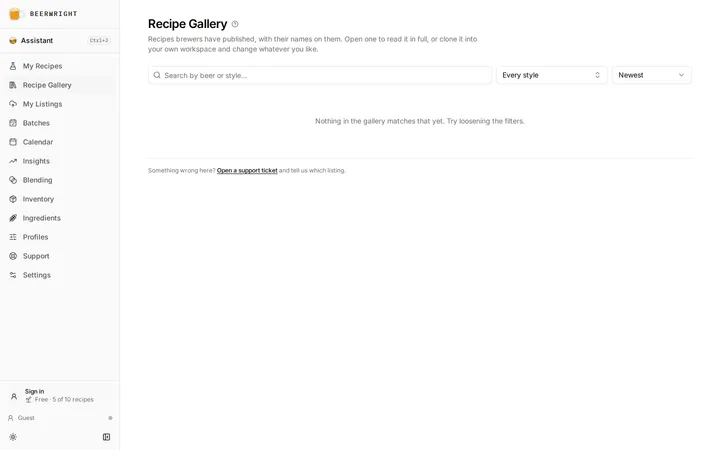
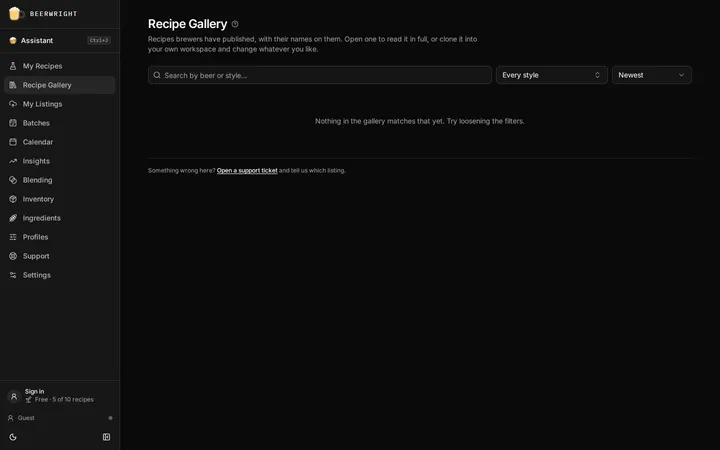
The gallery is a public directory of recipes brewers have chosen to publish, at /gallery. Anyone can browse it, with or without an account.
Browsing
Section titled “Browsing”Search by beer or style, filter to a BJCP style, and sort by newest, most cloned or most liked. Every card shows the beer’s name, its style, its OG, IBU and ABV, a color swatch, the brewer’s name, how many people have cloned it, and how many have liked it.
Click a card and you land on that recipe’s shared page — the ordinary read-only page any share link opens, with the full recipe on it.
Signing in is not required for any of this, including cloning (below).
Cloning a recipe
Section titled “Cloning a recipe”On the shared page of a published recipe there is a Clone to my workspace button. Pressing it copies the recipe into your workspace as a new recipe of your own, with a new id, which you can then change however you like. It is a copy, not a link: later edits by the original brewer do not reach it, and your changes do not reach them.
If you are not signed in, the copy is saved in this browser and the page offers you a way to sign in — do, and it syncs to your account along with everything else you have made as a guest.
If your workspace is at your plan’s recipe limit, we refuse the clone exactly as we would any other new recipe, because nothing about cloning is special.
Publishing your own
Section titled “Publishing your own”Open the recipe, then ⋯ → Publish to gallery…
- You need a display name. Every listing carries the name of the brewer who published it — that is what the gallery is. If you have not claimed one, the dialog says so and points you at Settings.
- A description is optional, up to 280 characters. The card shows the first three lines of it, and the listing’s own page shows the whole thing under the name.
- Publishing creates a share link with your name on it if the recipe has not got one already. There is no separate step.
Publishing is available on every plan, free included.
You publish a version, not a live feed
Section titled “You publish a version, not a live feed”The name, style and vitals on your card are captured when you publish — and so is the recipe behind it. Somebody who opens your card reads that version and clones that version. Carry on editing and neither moves; press Update listing when you want the gallery to catch up.
We do that on purpose. A listing that silently followed every edit would put the middle of an experiment in a public directory, and you would find out by somebody else’s screenshot. It also means the numbers on a card are the numbers of the recipe it opens, which is the least a stranger deciding whether to brew it is owed.
A shared link works the other way round: /s/… always shows your
recipe as it stands, so a typo you fix is fixed for everyone holding it.
Knowing where you stand
Section titled “Knowing where you stand”Your recipe carries a Published badge once it is listed, and a Listing out of date one once you have edited it since. Press either badge, or open the My listings tab of the gallery, to see everything you have published in one place, with the same states plus two you cannot see from a recipe: a listing hidden by us, and one gone dark because its share link was revoked.
Editing the description does not republish anything. Save description writes your sentence and leaves the version alone.
Taking it down
Section titled “Taking it down”Deleting the recipe takes its listing down with it — a recipe you delete is gone from the gallery too, not left there as a published copy.
To take a listing down while keeping the recipe, use Remove. It is in the publish dialog and on the gallery’s My listings tab, which is the only place to reach a listing whose recipe you have already deleted.
Remove deletes the listing, and asks twice because it also deletes the listing’s likes and clone count for good — publishing again starts both from zero. The share link keeps working either way: other people may be holding it, and removing a recipe from a directory is not the same as breaking a URL you sent to your brew club. To break the link too, revoke it in ⋯ → Share…
Revoking the link the other way round has the same effect on the gallery: a listing whose link is revoked stops appearing, and the publish dialog tells you so.
Deleting your account removes your listings with everything else.
The thumb on a gallery card is a like. Press it to like a listing, press it again to take it back.
- One per account. Not one per visit or one per device — a like belongs to an account, so liking needs you signed in. Signed out you still see every count; pressing the thumb tells you what it needs rather than doing nothing.
- It shows you your own. A listing you have liked draws its thumb filled in, wherever you are signed in.
- You may like your own listing, once, like anybody else.
- Likes are only on gallery cards. The shared recipe page has the clone button and no thumb.
Deleting your account removes the likes you gave, and the counts they were part of go down accordingly.
The clone count
Section titled “The clone count”It counts how many people pressed the clone button, at most once per person per listing per hour. It is a vanity number: it sorts one tab and it prints on a card, and nothing in Beerwright decides anything by it, so take it for what it is.
The like count is a better-behaved number — one per account, and it cannot be pressed twice — but it decides nothing either. Both sort a tab and print on a card. That is the whole of it.
If something in the gallery is wrong
Section titled “If something in the gallery is wrong”Open a support ticket and say which listing. We can hide a listing from the gallery; if we do, its owner is shown the reason on their own copy of it, and their share link is not touched.
There is no report button in the gallery itself. With the volume the gallery has today, a support thread gets a person reading it faster than a queue would.
Related
Section titled “Related”- Sharing a recipe, for the private link that is not the gallery.
- Your profile, for the name a published recipe carries.
- The recipe editor, for what a clone lands you in.
Something wrong on this page? Tell us.