
Offline
Beerwright is local-first, which is a stronger claim than “it caches things”. Your workspace lives in the browser’s own database and the calculation engine runs in the tab, so with no connection at all the app is not a degraded version of itself — it is the same app, minus the four things that genuinely need a server.
A brewery is a basement, a garage or a shed, and we designed for that.
What works with no connection
Section titled “What works with no connection”- Opening the app cold. Not just reloading the page you were on — navigating between routes as well, because every code chunk is precached rather than fetched on demand.
- The entire workspace: recipes, blending sessions, batches, equipment profiles, inventory.
- The whole calculation engine — gravity, IBU, color, water, mash pH, volumes, packaging. None of it was ever a server call.
- Catalog search. The malt, hop, yeast and style data is compiled into the app, not fetched.
- Undo, redo and named versions.
- Knowing who you are. The app remembers your last confirmed identity, so an offline start opens your workspace rather than a guest one.
What does not
Section titled “What does not”Four things, and each one fails with a message rather than a spinner:
| What you see | |
|---|---|
| The AI assistant | “Could not reach the assistant. Check your connection.” |
| Version history | An empty timeline, never an error |
| Creating a share link | “That link could not be created. Check your connection and try again.” |
| Signing in or out, and checkout | “Could not reach the server. Check your connection.” |
What the sync indicator means
Section titled “What the sync indicator means”It sits in the sidebar and has five states.
| State | What it means |
|---|---|
| Guest | Saved on this device only |
| Connecting | Opening the sync connection |
| Syncing | Sending your latest changes, and how many are still waiting |
| Synced | Everything is saved to your account |
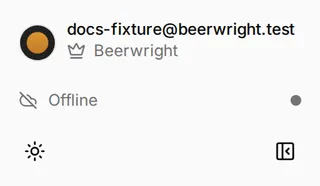
| Offline | Your changes are queued and we’ll send them when you’re back |
Offline is not an error, and we do not dress it as one. It shows gray rather than red. Nothing has gone wrong and nothing is at risk.
Tap the indicator to reconnect. We watch the connection ourselves and open a new one as soon as we notice it has gone quiet, so you should rarely need to. If Syncing sits there with the same number beside it, tapping is faster than reloading the page.
How changes catch up
Section titled “How changes catch up”Every edit you make is saved on your device as well as shown on screen, so your work survives a reload, a crash and a closed laptop.
When your connection comes back, we reconnect straight away rather than making you wait. We fetch anything that changed elsewhere, then send your waiting edits on top, in the order you made them. If a patchy connection means we send the same edit twice, the second one is ignored, so nothing gets applied to your recipe twice.
Two devices, one workspace
Section titled “Two devices, one workspace”You will never be shown a conflict dialog. If you changed the same field on a laptop and a phone, whichever we received last is the one that sticks, field by field.
The one thing we cannot resolve that way is an edit to something that is no longer there: you renamed a recipe on your phone that you had already deleted on your laptop. We drop that single edit rather than everything you did, and tell you so: An edit could not be synced.
How the app itself stays current
Section titled “How the app itself stays current”We update Beerwright in the background while you have it open, and the page refreshes itself once when the new version is ready. You will not get a “a new version is available” prompt to dismiss. An out-of-date app talking to an up-to-date server is the thing worth avoiding, and you should not have to click anything to receive a fix.
Installing it
Section titled “Installing it”Beerwright installs from the browser: Install in the address bar on a desktop, Add to Home Screen on a phone. Installed, it opens in its own window, cold, with no connection at all — which is the garage case this page is about.
Guest mode and storage
Section titled “Guest mode and storage”Guest work and each signed-in account are stored separately, so signing out never shows you somebody else’s recipes, and signing in never overwrites what you made as a guest.
Clearing your browser’s site data will delete a guest workspace. That is the one place a signed-in account is safer, because we hold a copy for you.
Related
Section titled “Related”- On a phone or tablet, for installing it and what changes on a small screen.
- Getting started, for what signing in adds.
- Settings, for exporting the workspace this page describes.
Something wrong on this page? Tell us.