
Sharing a recipe
A share link is a URL that opens one of your recipes on a read-only page. Anyone holding it can read the recipe; nobody needs an account, and nobody can change anything.
Making one
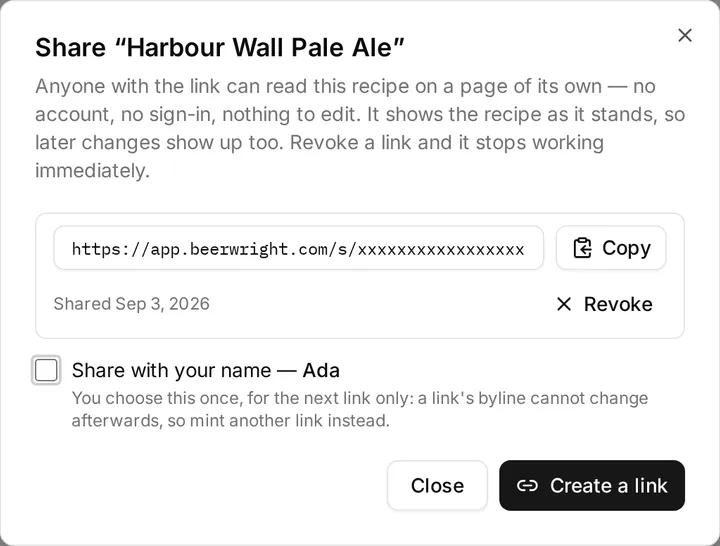
Section titled “Making one”Open the recipe, then ⋯ → Share… and press Create a link. The URL appears immediately, ready to copy.
Nothing is shared until you press that button. A recipe with no links is not readable by anyone but you.
Several links, on purpose
Section titled “Several links, on purpose”One recipe can carry up to 20 live links at once, and that is not an accident — it is so you can revoke one without breaking the others. Make one for the forum thread and one for your brew club, and the day the forum link needs to go away, the brew club’s keeps working.
What the page shows
Section titled “What the page shows”The recipe: name, style, vitals, fermentables, hops, yeast, water treatment, mash and fermentation schedules, and your notes. It is computed against your equipment profile, which travels with the link, so the OG and volumes a reader sees are the numbers you see rather than numbers worked out against a default kettle.
Whoever opens it can switch between US and metric units — a shared recipe is as likely to be read in Munich as in Denver, and the reader is the one who knows which they want.
Nothing else from your workspace crosses over. Not your other recipes, not your batches, not your inventory, not your settings, and nothing about you unless you asked for it (below).
It shows the recipe as it stands now
Section titled “It shows the recipe as it stands now”A link is not a snapshot. Fix a typo and the fix is there for everyone holding the link; change the hop schedule and they see the new one. If you want a version frozen in time, export the recipe as BeerJSON and send the file.
Your name on a link
Section titled “Your name on a link”By default a shared page says nothing about who wrote it.
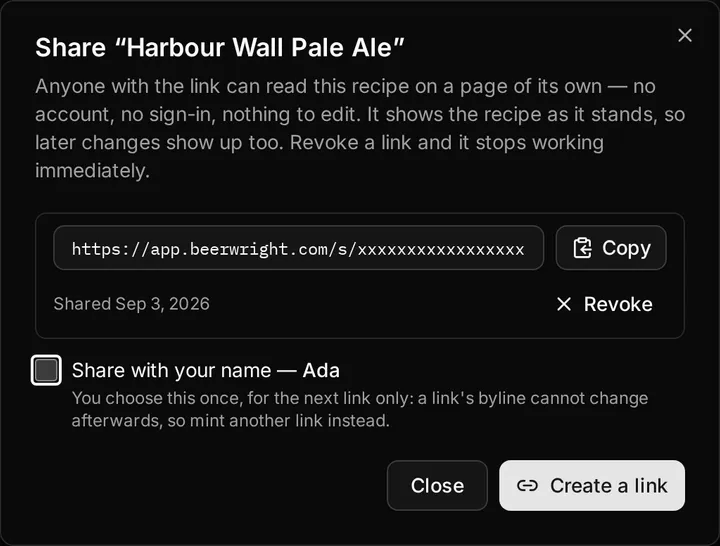
If you have claimed a display name, the share dialog offers Share with your name. Tick it before pressing Create, and that link’s page carries your name and your picture, with your initials drawn where a picture would be if you have not uploaded one.
Three things are worth knowing about it:
- It is chosen per link, before the link exists. The box applies to the link you are about to make, not to the recipe and not to your account.
- It cannot be changed afterwards. A link already in somebody’s inbox must not quietly start — or stop — naming you. To change your mind, make another link and hand that one out instead. Links made before this feature existed are anonymous and stay that way.
- It always shows your current name. Rename yourself and every attributed page updates on its own, because nothing stores a copy of your name. Delete your profile, or your account, and the pages go back to saying nothing — the recipe stays readable.
The dialog marks which of a recipe’s links carry your name, so you never have to open one to find out.
Publishing to the gallery
Section titled “Publishing to the gallery”Sharing a link is a private act: you decide who gets the URL. Publishing to the gallery is the public one — it lists the recipe in a directory anybody can browse, under your name, and puts a Clone to my workspace button on its shared page.
Publishing makes an attributed link for you if the recipe has not got one, so it is one step rather than two. Three things worth knowing here rather than there:
- A listing is a version, not a live feed. Publishing captures the recipe as it is at that moment — the card and the page it opens are both that version — and going on editing changes neither. Press Update listing when you want the gallery to catch up. Your recipe carries a Listing out of date badge until you do, and the gallery’s My listings tab shows the same thing for everything you have published.
- A shared link is the opposite.
/s/…always shows the recipe as it stands, so a typo you fix is fixed for everyone holding the link. Publishing does not change that. - Removing a listing does not revoke the link, though revoking the link does remove the listing from the gallery. They are separate switches. Removing also deletes the listing’s likes and clone count for good, so we ask twice.
Taking it back
Section titled “Taking it back”Press Revoke beside a link. It stops working immediately — the next person to open it gets “This link is not available”, and so does anyone who already had the page open and reloads it.
Deleting the recipe has the same effect on every link pointing at it.
A revoked link, an unknown link, and a link to a deleted recipe all produce exactly the same page. That is deliberate: somebody probing a URL learns nothing from the difference, not even whether it was ever real.
Journals
Section titled “Journals”A journal shares the same way, with two differences. Each journal has one link rather than several, and the page is live: every block you add appears on it, and every block you hide comes off it. The link can carry your name or not, decided when it is made. Stop sharing in the journal’s share dialog turns it off.
What a reader sees of the rest of your workspace is decided by the blocks they can see. A visible Recipe, Fermentation chart or Blend block shows the batch or blending session it names — the recipe as brewed, the readings, the beers that went into the blend — and a hidden one shows nothing at all: the batch and the blend it named do not reach the page, and are not in what the page was sent. A visible File block offers its file as a download, and a hidden one’s file is not reachable at all. Your tags stay yours either way, on a journal as on a recipe.
Blends
Section titled “Blends”A blending session shares the same way a journal does. Press Share in the session header and we make one link, live rather than frozen: top the barrel up or add a row of cherries and the page says so the next time somebody opens it.
The page opens with your notes on the blend, the story you would tell whoever you handed a bottle to, and the days you blended, conditioned and packaged it. Under that are the beers that went in, with their gravities, their color and whether they came out of a barrel; the fruit, sugar, herbs and tinctures you folded in with them and when each went in and came out; and what the blend comes to: its total volume, its strength, its color and pH, and once it is packaged, the carbonation it was packaged to. Whoever opens it can switch between US and metric units, as they can on a shared recipe.
Two things stay with you. The cellar actions you scheduled on the blend are not on the page — “pull the oak cubes, taste it first” is a note to yourself about next Tuesday. And the batch or the session each beer was poured from is a name there rather than a link, so a reader can see that a third of the blend was your three-year lambic without being handed the lambic’s own page. Following one would share a document you did not. A blend shown in a shared journal carries none of your notes on it either: the journal is what you wrote there.
Stop sharing in the same dialog ends it, and the next person to open the link is told it is not available.
What a link is, exactly
Section titled “What a link is, exactly”The token in the URL is 256 random bits, generated by your browser’s platform random number generator and stored by Beerwright against your account. Holding it is the entire permission — there is nothing to guess and nothing to enumerate, and no part of the address names you or your workspace.
Which is the one thing to keep in mind: treat the URL as the secret it is. Anyone you send it to can send it on. Revoking is what takes that back.
Shared pages are served with instructions not to be cached or indexed, so a search engine that finds one is not supposed to keep it. That is a request search engines honor, not a wall, and it is another reason a link you have stopped wanting is a link worth revoking.
Related
Section titled “Related”- The gallery, for publishing rather than sending.
- Your profile, for what a reader sees about you.
- Recipe history and versions, for sharing a version rather than the live recipe.
- Blending, for the sessions a blend link opens.
Something wrong on this page? Tell us.